
Spotify’s web API uses OAuth for user authentication. I am using the option that produces an access token that works for sixty minutes and then expires. I want the user to know about this, so that it is clear what has happened if the session expires. Ordinary use of Shufflizer should not take more than a minute or two, but, of course, users can behave differently from what we expect, including simply leaving the app sitting open for a while and then returning.
My initial solution
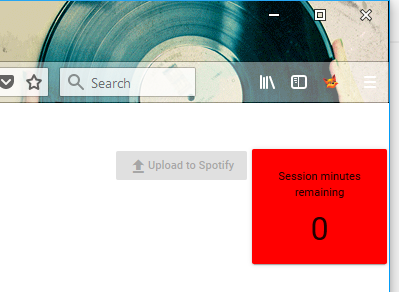
I have created an Observable.timer that counts down minutes. I render this in a box. I turn the background red when we are down to five minutes. When we are down to zero then I also disable the upload to spotify button. It isn’t going to work any more.
Problem: Observable.timer is cold
This has been working, but not exactly right. After a bit of testing I have concluded that timer is a cold observable, rather than hot. I am starting two sixty minutes timers, not one. The first timer starts when the page loads. It is reported in the box. This is good. The second timer starts when the user makes an edit to the playlist. It controls the disable of the button. This is bad. Waiting until the user makes an edit is not what I intended and is not accurate.
Here is my observable. This counts down minutes from 60:
this.sessionCountdown = Observable.timer(0, 60000)
  .map(mins => 60 - mins)
  .takeWhile(minsRemaining => minsRemaining >= 0);
My problem is in my HTML template, in my TypeScript expression for the disable. TypeScript’s or operator (the double-bar ||) does not execute its second part unless its first part is false. I coded an async pipe subscribe for the second part, not realizing that this subscribe creates its own instance of the timer. The user finally makes an edit to the playlist. Only then does TypeScript flop over to the other side of the double-bar, therefore starting the timer:
<button (click)="uploadToSpotify()"
  mat-raised-button
  [disabled]="!playlistIsEdited()||(sessionCountdown | async)<=0">
  <i class="material-icons">file_upload</i>
  Upload to Spotify
</button>
I am going to work on making the timer a singleton, so that I get something more like a hot observable.
While I am working on this, I also need to deal with page reloads. I think I will do that with session storage. The timer should not start over if the page reloads.